Add Online Request Notes
|
When necessary, notes can be added to an online request. You can add notes for online requests from the Personal Planner > Lists tab > Online Requests sub-tab. To add notes to online requests:
 Search fields Search fields
Tip: You can also double-click a request to display this window. Tip: You can also add notes from the Add Online Request Action window. Note: If necessary, you can select the Show Deleted checkbox to display deleted notes in the list.
|
 ) icon to display your list of online requests.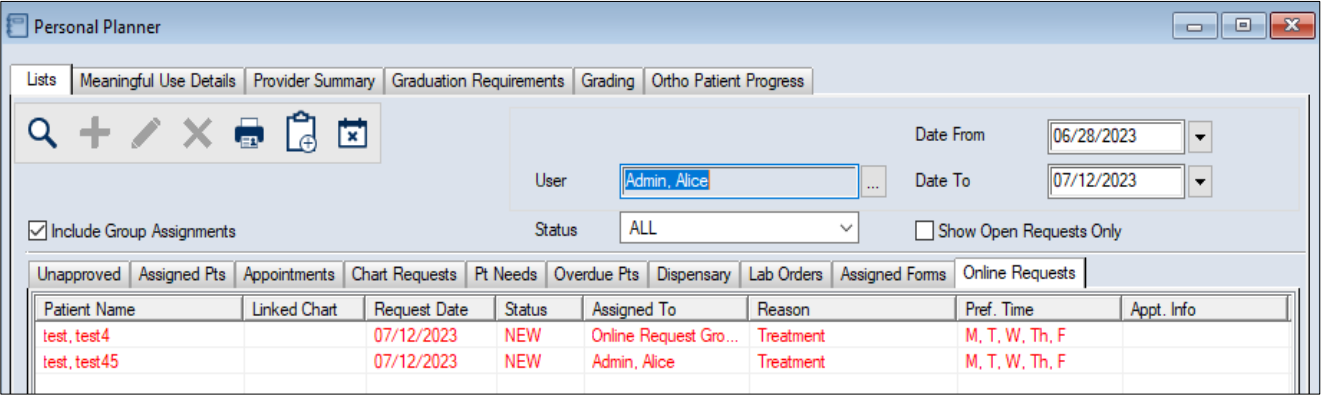
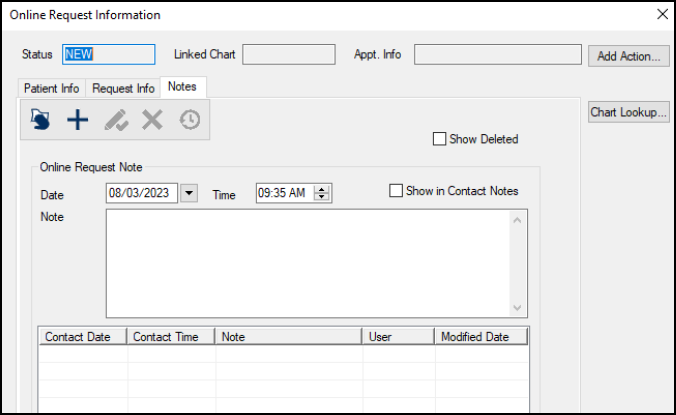
 ) icon.
 ) icon.